This article will help you configure your NDI tools software to be able to capture the screen and stream the content to Plexus SCG.
The most important thing to know is that P-AVN-SCG does not support NDI streams, only NDI-HX stream format is supported at the moment, therefore we need to change the stream format from default NDI to NDI-HX.
Step 1. Configuring the NDI tools software
1. Download NDI tools package from https://ndi.video/tools/
2. Install the package.
3. Run the software and click on Screen Capture settings.
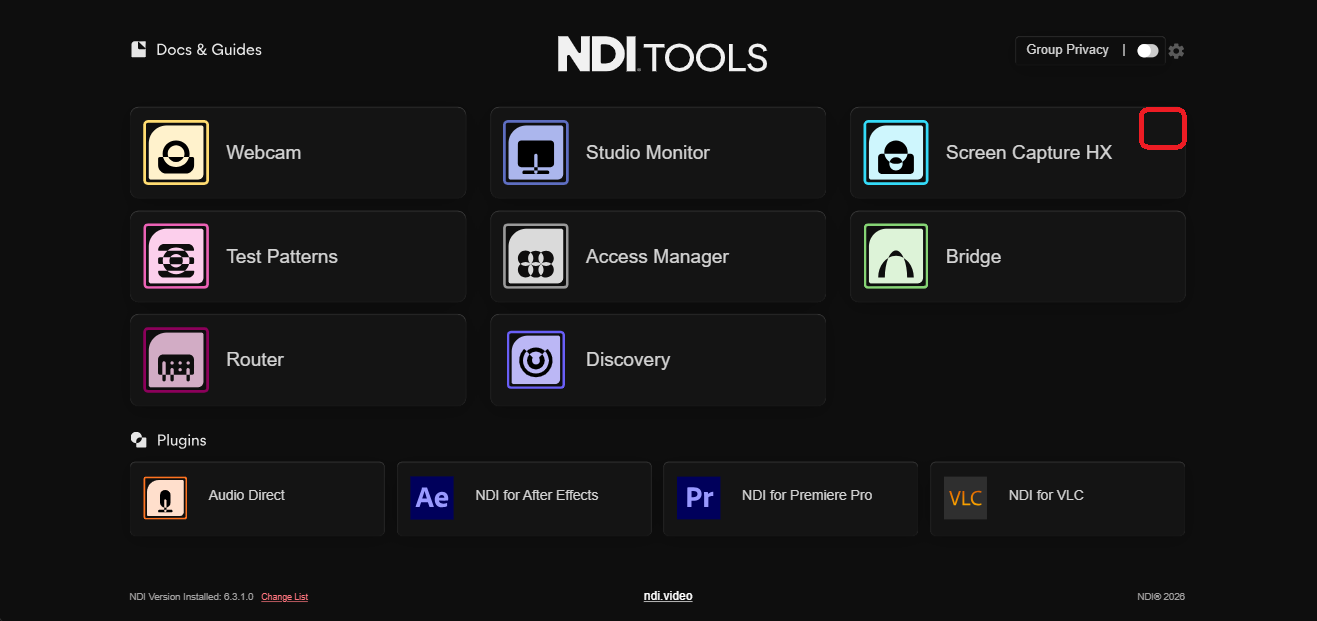
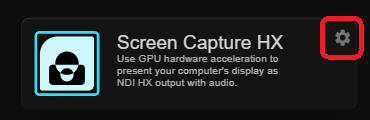
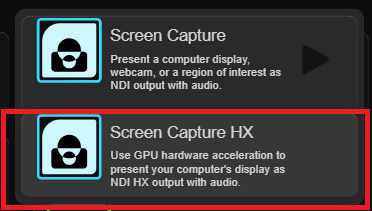
4. After clicking on Screen Capture HX the application should open in your tray. Clicking on it should allow you to change NDI settings. The menu should look like below
Correct menu (NDI-HX)
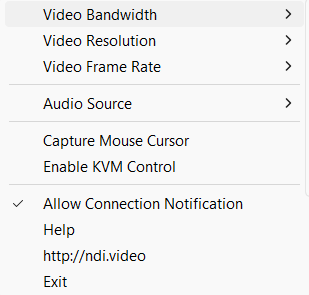
Wrong menu (NDI). Streaming from this application wont work with SCG
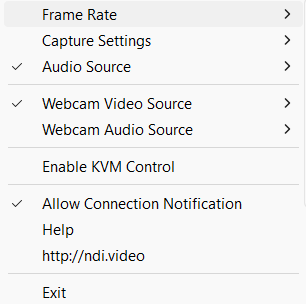
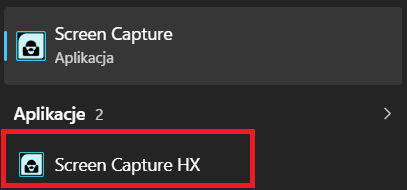
If somehow you ended with the wrong menu in your tray at this point, please try to run the application directly from start menu instead of via NDI tools launcher. Typing Screen Capture should help you find it. Below the correct one marked red.
5. You should now have a working NDI-HX stream from your PC.
Step 2. Configuring the SCG
1. Open a web browser and login into the SCG web interface
2. Click on Routes
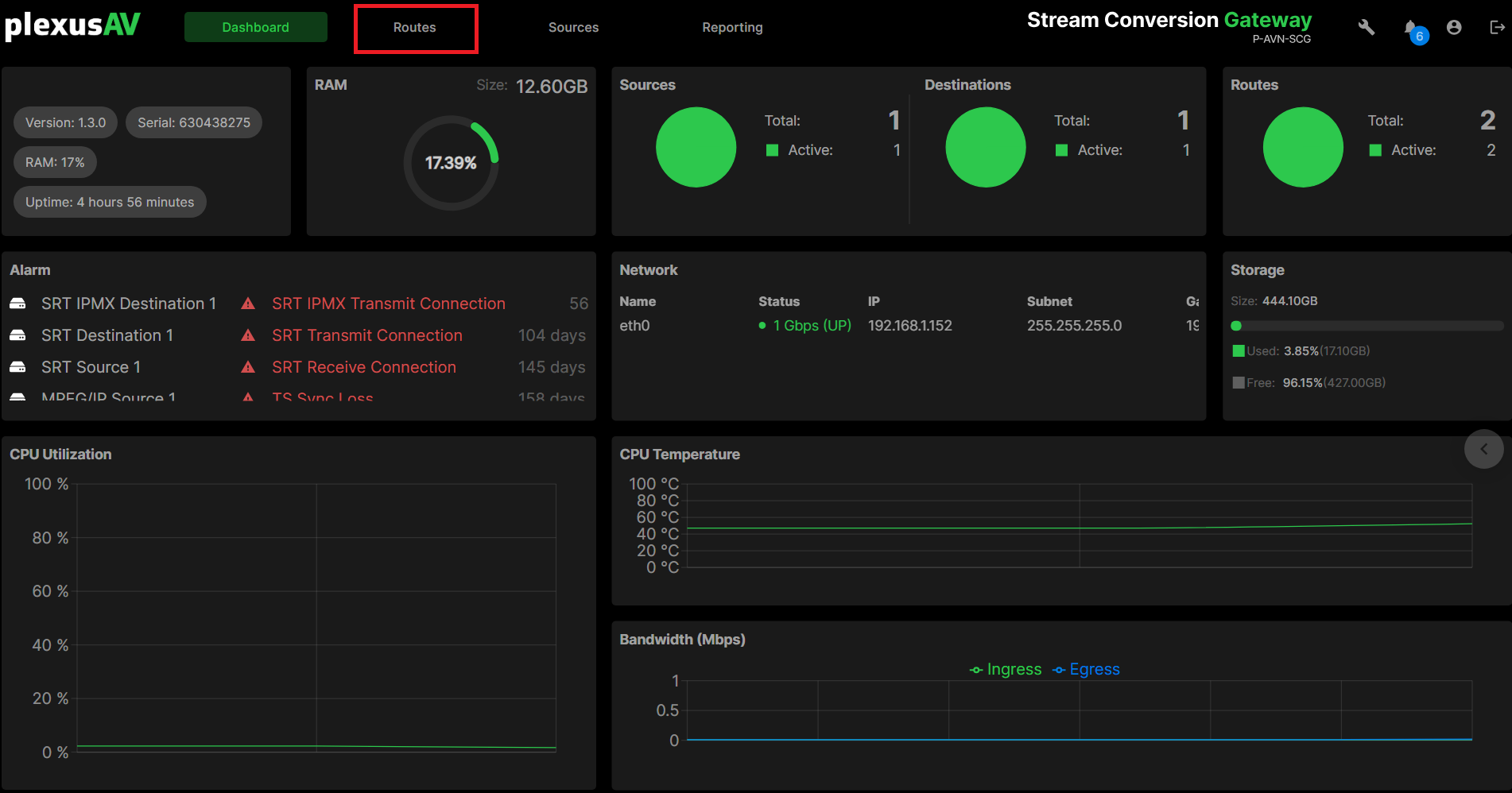
3. Click on New Route

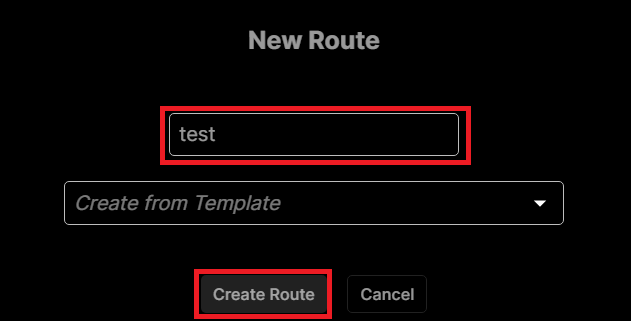
4. Name the new route and click create
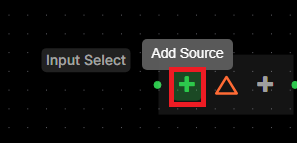
5. Click Add Source
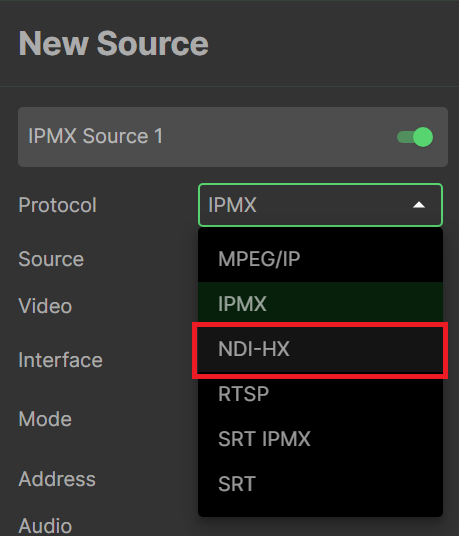
6. Choose NDI-HX
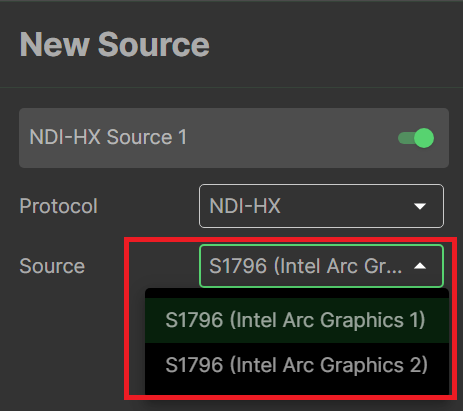
7. Choose one of the discovered streams
8. If your stream is beeing properly fed into SCG, you should now see a bitrate on the input higher than 0.00.

9. Configure your SCG outputs as needed.
Was this article helpful?
That’s Great!
Thank you for your feedback
Sorry! We couldn't be helpful
Thank you for your feedback
Feedback sent
We appreciate your effort and will try to fix the article