There are two ways to upgrade the P-AVN-4 firmware:
- Using P-AVN-4 local WebUI
- Using Visual Array: upgrading multiple P-AVN-4 units in one go
We will cover both ways of upgrading.
Upgrade with Local P-AVN-4 WebUI
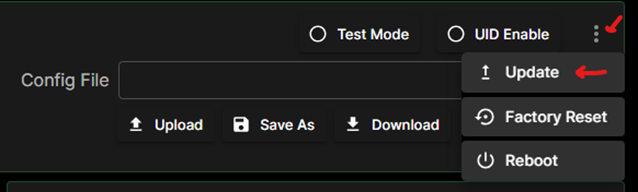
Log into the unit and look for the ellipse on the right side of the web UI. Click it, then click “Update”.
Click the “Up-arrow” icon to open a window to select the update.
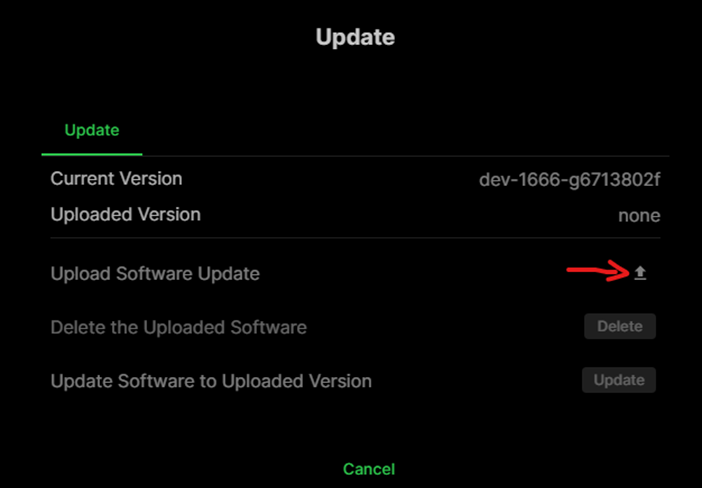
Select the update file and click “Open”. Then click “OK” to upgrade.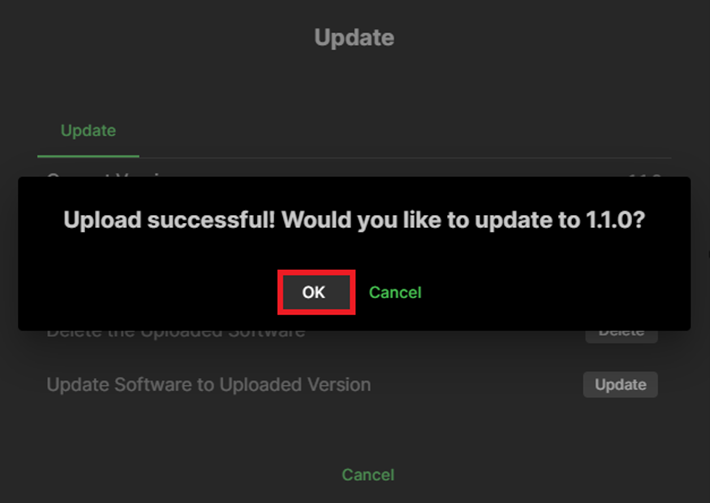
Batch upgrade with Visual Array
Select all transceivers in device list and go to “Advanced Settings”: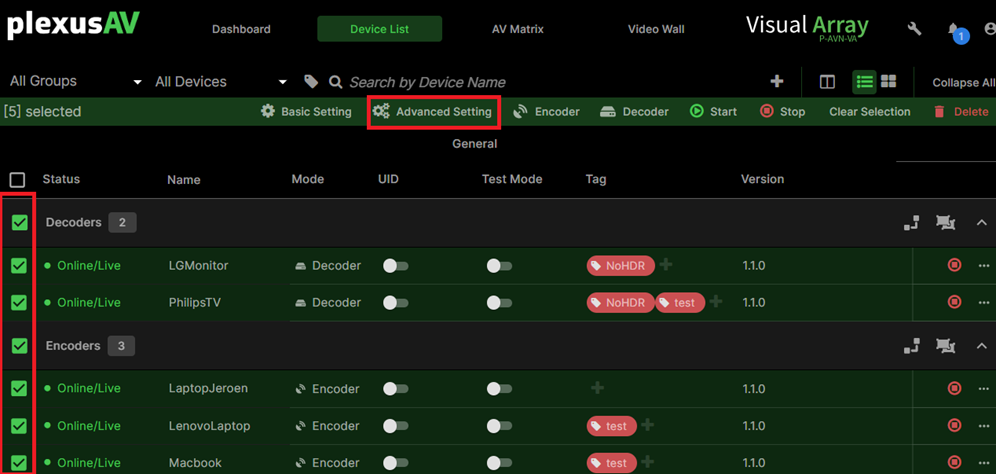 Delete any existing VA uploaded firmware (if there is any existing firmware) by clicking the bin button: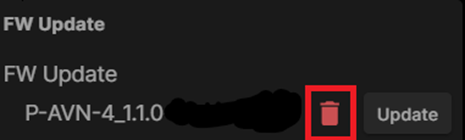
Click upload to upload the firmware to VA: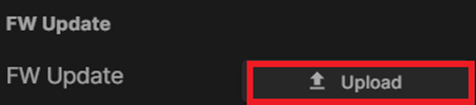
Update the units: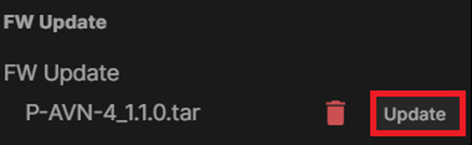
If all units are ready (100%), leave the advanced settings by clicking “Cancel”.
Was this article helpful?
That’s Great!
Thank you for your feedback
Sorry! We couldn't be helpful
Thank you for your feedback
Feedback sent
We appreciate your effort and will try to fix the article