Overview:
The P-AVN-SPK-X speaker product line has an embedded control module, which provides the PoE/PoE+ power circuit, network port, and other I/O connectors such as analog input.
A single network cable is wired to the Ethernet port on the control module and will have TWO IP addresses:
- IP-1 = Control Module (Web Interface / IPMX)
- IP-2 = Dante Chipset IP (Dante Controller)
Before you Begin! Contact plexusAV technical support to confirm the latest software versions to use for IPMX applications. As of 29-APR-2026 is 1.4.2 for VA, P-AVN-X, and the speaker itself is 1.0.9.
Default Configuration for P-AVN-SPK-X Speaker Products:
- MODE = IPMX (speakers should ship ready for IPMX installation)
- Note: for early shipments - the default mode may be set to Dante
- IP Addresses:
- IP-1 = Control Module = DHCP
- IP-2 = Control Module = DHCP
- Normal User Credentials:
- User: admin
- Password: proav101 (previously pava101)
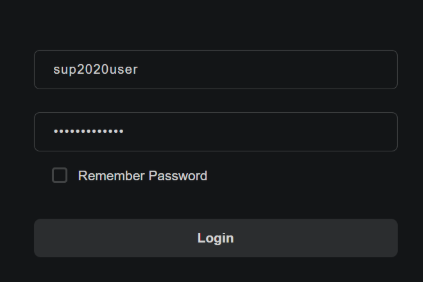
- Super Admin Credentials: includes debug page to set the speaker mode
- User: sup2020user
- Password: sup*2020*user
Speaker Configuration Button:
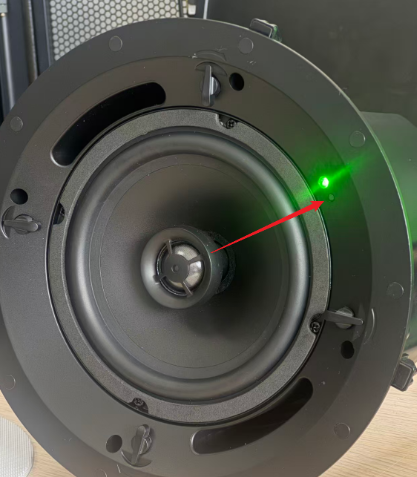
There is a small button next to the LED on the speaker chassis. This can be used to perform several tasks:
- Press Once = reboots the speaker
- Press Twice, Quickly in Succession = speaker will "say" the IP-1 address used to host the web-interface
Changing Speaker Mode:
To change the speaker mode follow these steps:
- Login to speaker web-interface as the super admin user
- Click the debug page on navigation panel to the left of screen
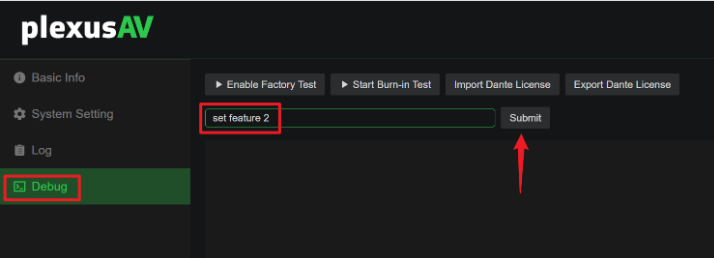
- Use the following commands to change mode, click submit and wait for command success message
- set feature 0
- Dante Mode = Dante Controller will use the Dante IP address, not the web-interface address to detect the speaker
- set feature 1
- AES=67 Mode = Supports legacy AES-67 IP audio systems (no NMOS or IPMX)
- set feature 2
- IPMX Mode = Supports Visual Array and audio playback from P-AVN-X JPEG-XS streams (IPMX audio with AES-67 payload)
- set feature 0
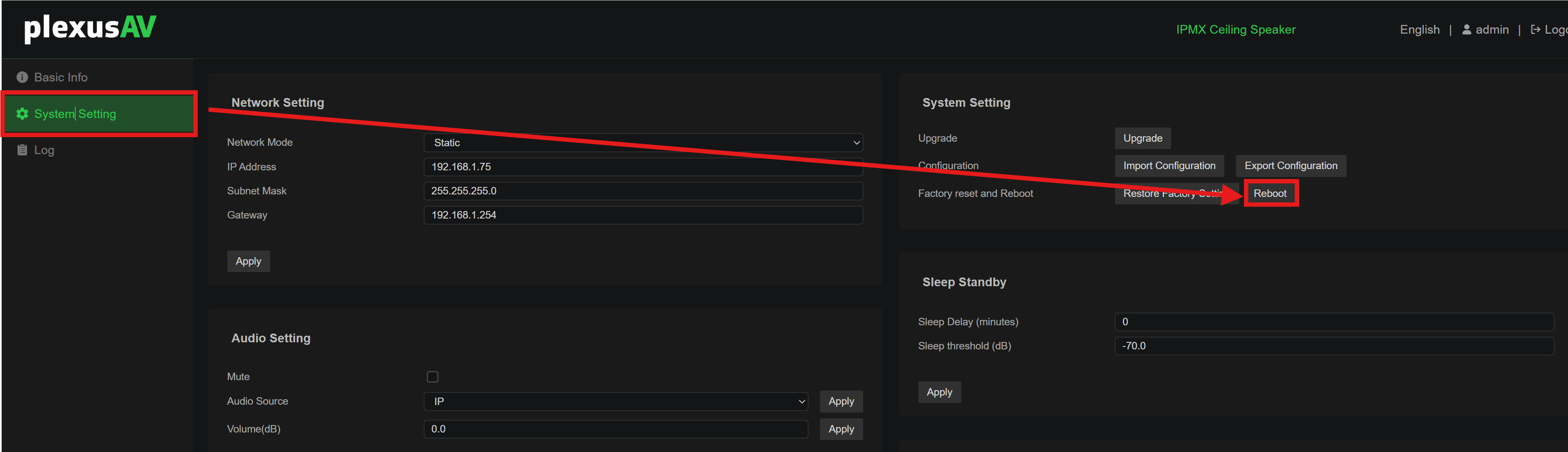
- Click system settings, then reboot the speaker
IPMX Speakers in Visual Array:
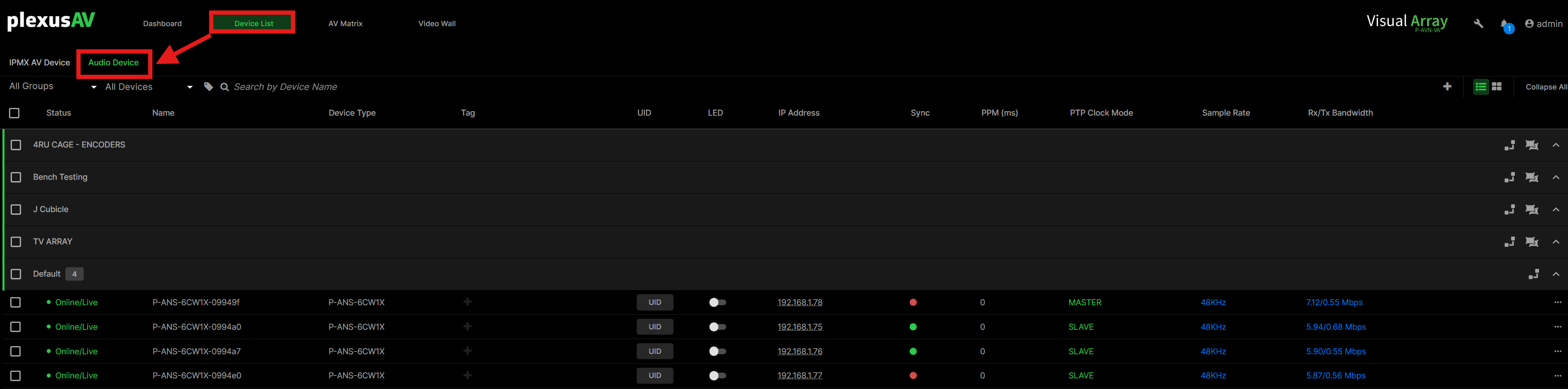
The Visual Array should detect the speaker via NMOS using the IP-1 address of the speaker control module. Under the Device List tab, click on Audio Device to see the speakers:
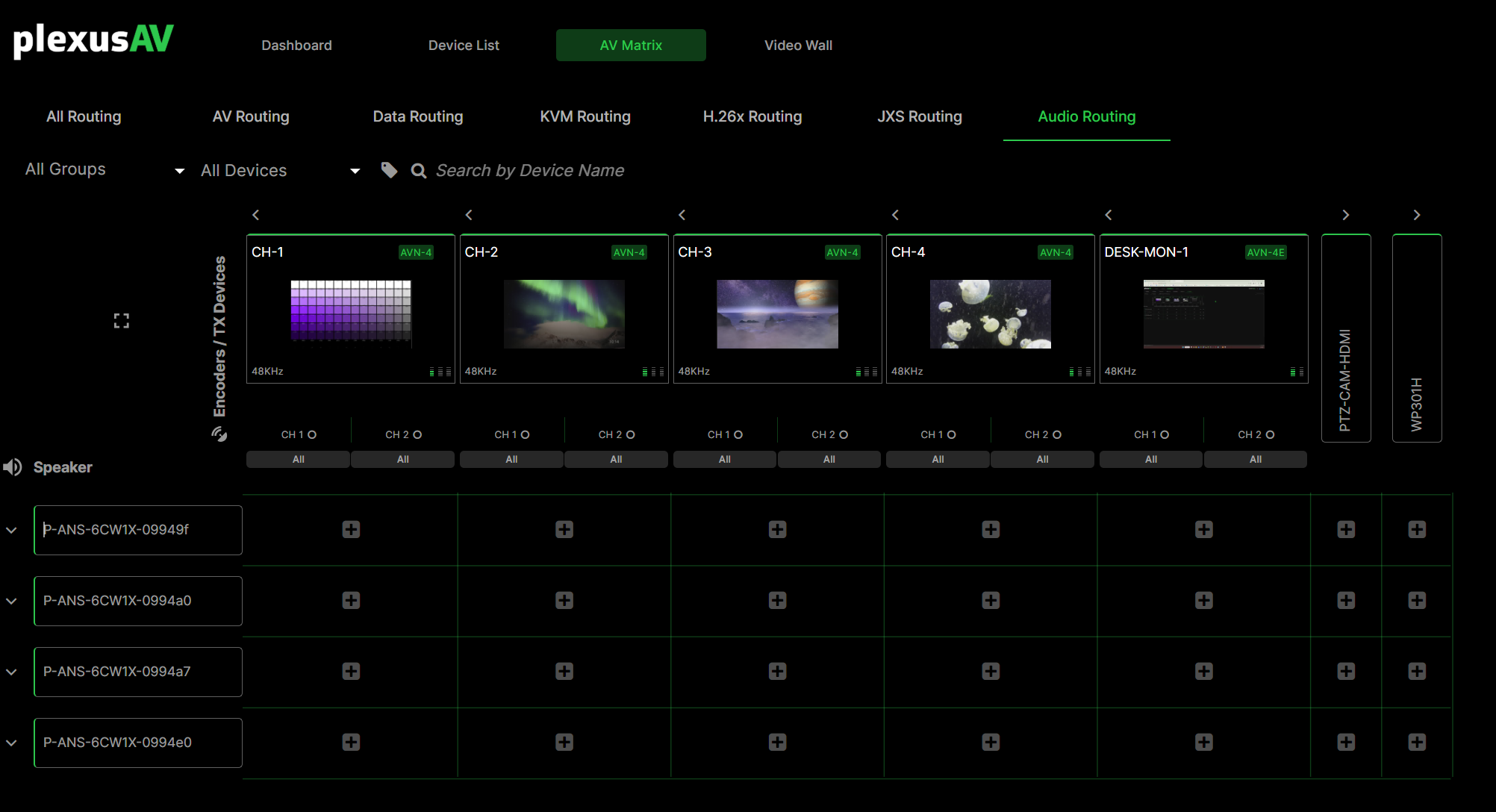
The AV Matrix also has a new Audio tab for routing. Any of the P-AVN-X JPEG-XS (LC) encoder channels should be playable on the IPMX speaker.
Was this article helpful?
That’s Great!
Thank you for your feedback
Sorry! We couldn't be helpful
Thank you for your feedback
Feedback sent
We appreciate your effort and will try to fix the article